When you're setting up a soldering station for electronics repair, the two purchases that often come up are a soldering iron and a work surface mat. The 80W LCD Soldering Iron Kit offers fast heating, while the Silicone Soldering Repair Mat for Electronics provides an organized surface for parts. Which one should you buy first?
Quick Verdict
If you don't yet have a soldering iron, the 80W LCD Soldering Iron Kit is the necessary first purchase because it does the actual soldering work. The Silicone Soldering Repair Mat is a workspace accessory that helps you stay organized, but it won't make a single joint. Buy the iron first, and consider the mat as a later addition.
Comparison Table
| Feature | 80W LCD Soldering Iron Kit | Silicone Soldering Repair Mat |
|---|---|---|
| Price | USD 14.95 | USD 76.45 |
| Primary role | Heats up to make solder joints | Provides a defined surface for tools and parts |
| Temperature control | Adjustable 180°C-480°C, LCD readout | None (no heating element) |
| Heating | Ceramic core, heat-up in about 10 seconds | Not applicable |
| Included components | Soldering iron tips | Tool sections for screws and parts |
| Best for | Doing soldering repairs | Organizing a repair bench |
Where Each Product Wins
The 80W LCD Soldering Iron wins when you need to melt solder and join wires. It remembers your last temperature setting and goes into sleep mode after five minutes of inactivity, which helps preserve the heating element. For anyone who wants to complete a repair, this iron delivers the essential function.
The Silicone Soldering Mat wins when your bench is a mess of small loose parts. Its defined surface and tool sections give every item a place during disassembly and assembly. If you already have a soldering iron, this mat helps you work more cleanly and reduces the chance of losing small parts. It is the pricier investment, so it suits someone who does electronics work often.
Product Notes
80W LCD Soldering Iron Kit Adjustable Temp Fast Heat 110V Electronics Repair
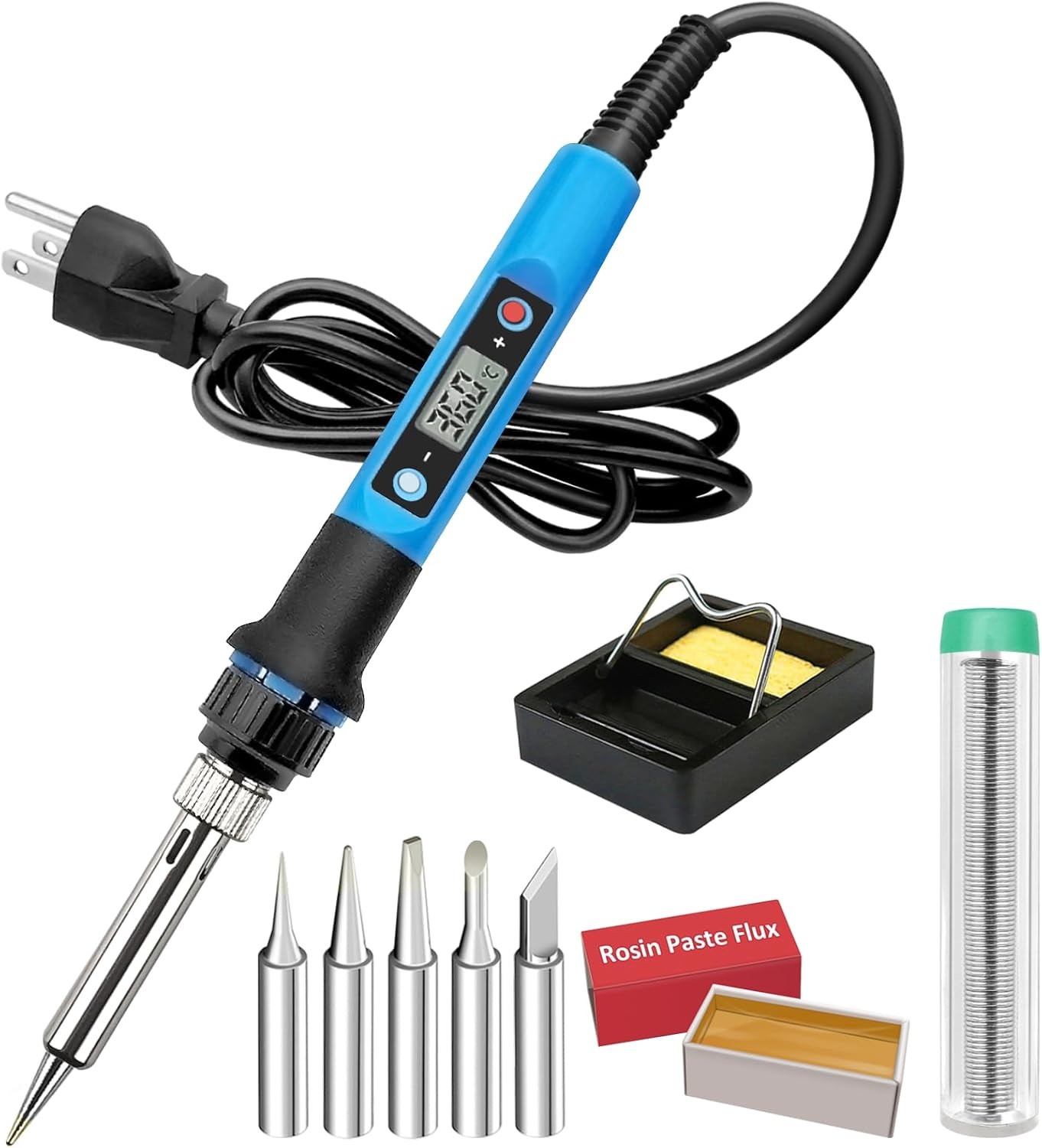
The main reason to choose this kit is that it heats up in about 10 seconds and lets you adjust the temperature from 180°C to 480°C. The LCD screen shows the current heat level, and the ceramic heating core does the work. It also remembers your last temperature and sleeps after five minutes of inactivity, which protects the element. The kit includes soldering iron tips, so you can start right away. The limitation is the 1.3-meter cord, which might be short if your outlet is far from your bench. This is a 110V tool, so be sure your power supply matches.
Silicone Soldering Repair Mat for Electronics
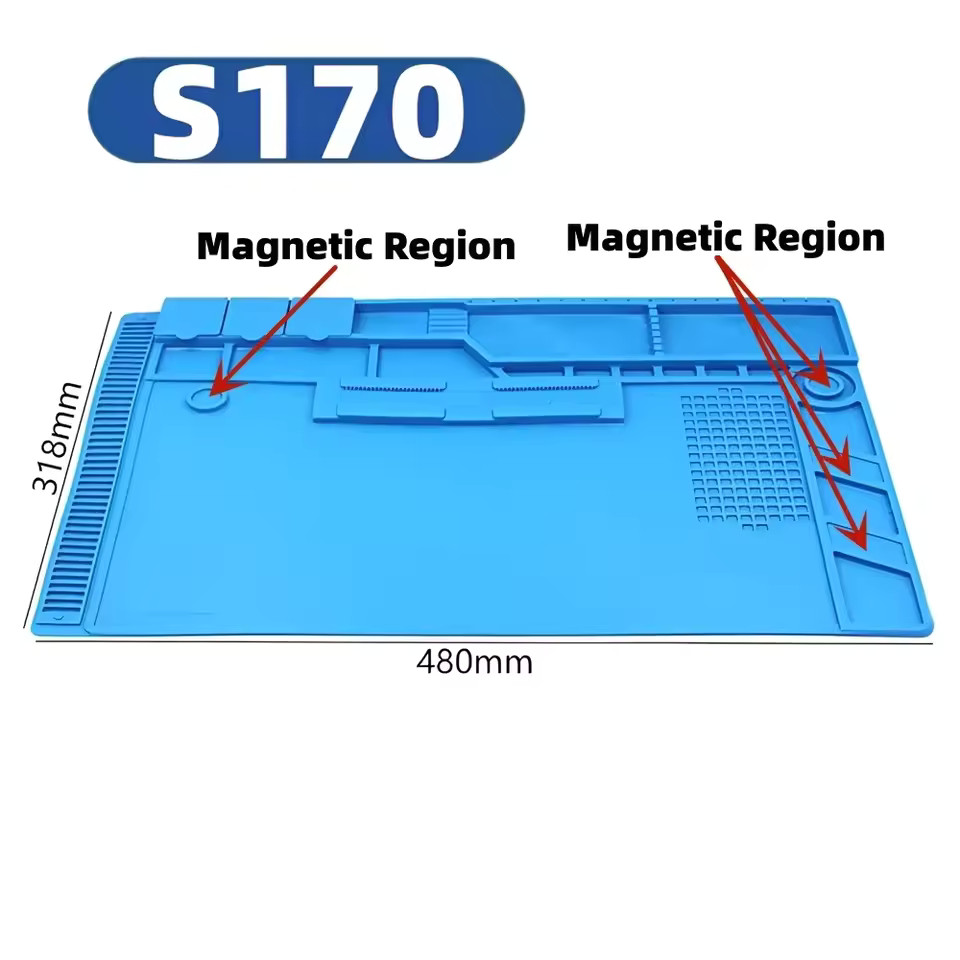
Choose this mat if you want a dedicated workspace for repair tasks. It gives you a defined surface with tool sections for organizing small items during assembly or maintenance. The mat is described as an electronics workbench accessory and is intended for computer tool kit use. It also serves as a DIY supply item. The limitation is its price: at $76.45, it costs more than the soldering iron and does not perform any heating. If you are on a tight budget or just starting out, this mat may be a later purchase once your soldering kit is already in place.
Final Choice by Use Case
- If you are starting from zero: Choose the 80W LCD Soldering Iron Kit. It is the essential tool for getting repairs done.
- If you already have a working iron: The Silicone Soldering Repair Mat is a worthwhile upgrade for keeping your bench tidy and parts within reach.
- If you can only afford one item today: The iron is the more practical pick because it enables the actual soldering work.
In short, the soldering iron is the workhorse, and the mat is the helper. Choose accordingly based on your current bench setup and the repairs you plan to tackle.