Choosing between resin 3D printers comes down to a sharp trade-off: do you need the OYOWOOA K1's large-format capacity for sizable parts and batches, or does the Formlabs Form 2 make more sense as a lower-cost way into resin printing? These are very different used machines, so the right pick depends less on a single specification and more on your workspace, project scale, and tolerance for condition-related compromises.
Quick verdict
Choose the OYOWOOA K1 for large-format prototyping, detailed modeling, or small-batch production where its 13.6-inch 7K LCD and extended Z-axis are central to the job. Its listed price is USD 3,500.00, and the 220V requirement plus heavy construction make it a specialized setup.
Choose the Formlabs Form 2 when the priority is a much lower listed price and an enclosed build plate. At USD 239.99, it is the more accessible purchase, but it is sold used and as-is, with resin spills, scratches, casing or cover cracks, and no power cable.
Side-by-side comparison
| Product | Listed price | Standout specification | Interface | Condition |
|---|---|---|---|---|
| OYOWOOA K1 Industrial Resin 3D Printer - 13.6\" 7K Large Format LCD | USD 3,500.00 | 13.6-inch 7K large-format LCD; approx. 302 × 162 × 380 mm build volume | USB 2.0, USB 3.0, Wi-Fi | Used |
| Formlabs Form 2 SLA 3D Printer | USD 239.99 | Enclosed build plate | Wi-Fi, Ethernet, USB 2.0 | Used |
Where each product wins
OYOWOOA K1: large-format work
The K1 is the better match for projects that call for large parts or multiple components in a batch. Its large-format LCD, extended Z-axis, and stated approximate build volume support that use case directly. USB 2.0, USB 3.0, and Wi-Fi provide several listed connection choices. The compromise is substantial setup complexity: the printer is very heavy, uses 220V power, and needs a step-up transformer when operated from a standard U.S. 120V outlet. That makes the K1 a focused choice for a workspace prepared for its electrical and physical requirements.
Formlabs Form 2: lower purchase cost and enclosure
The Form 2 wins on the listed price difference and offers an enclosed build plate as a defined feature. Its interface options include Wi-Fi, Ethernet, and USB 2.0, giving it a different connection mix from the K1. It is the more practical direction for a buyer whose project does not call for the K1's large-format description. However, the low price comes with clear condition trade-offs: the unit is used, sold strictly as-is, and has visible wear plus no included power cable.
Product notes
OYOWOOA K1 Industrial Resin 3D Printer - 13.6" 7K Large Format LCD
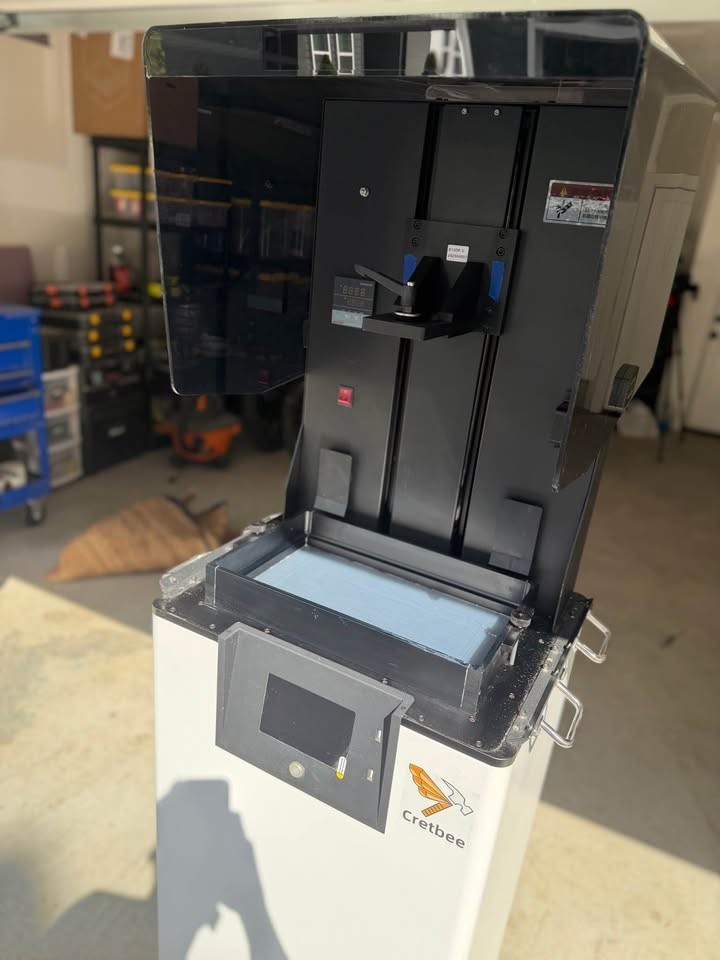
The OYOWOOA K1 fits buyers who need the scale named in its title rather than a smaller-format resin 3D printer. The 13.6-inch 7K monochrome screen, approximately 302 × 162 × 380 mm build volume, and extended Z-axis are concrete reasons to consider it for large parts, detailed modeling, or small-batch production. Its limitation is the setup burden: it is very heavy, runs on 220V power, and requires a step-up transformer for a standard U.S. 120V outlet. The unit is also used. In short, its large-format capability is the reason to choose it, while its electrical and physical demands are the reasons to reserve it for a suitably prepared workspace.
Formlabs Form 2 SLA 3D Printer
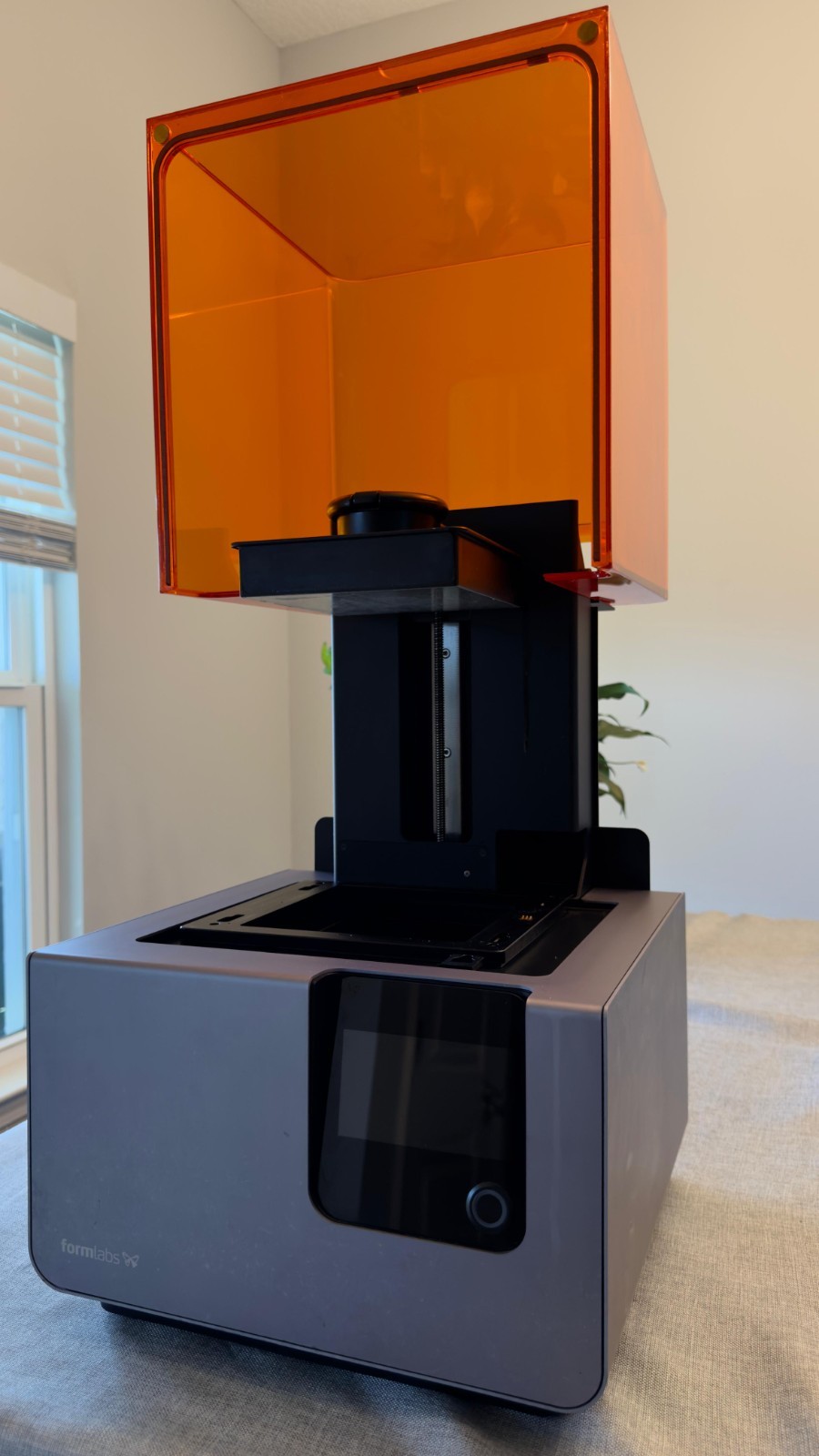
Formlabs Form 2 is the sensible pick when a lower purchase price matters more than large-format capacity. Its enclosed build plate is a concrete feature for buyers who want that design element, and Wi-Fi, Ethernet, and USB 2.0 are listed connection options. The limitation is the machine's condition and sale terms: it has visible resin spills, scratches, and cracks on the casing or cover, is sold strictly as-is, and does not include a power cable. It was operational before decommissioning, but that does not change the cosmetic wear or the need to account for the missing cable. Choose it for the lower-cost entry point; choose something else if those condition compromises are unacceptable.
Final choice by use case
- For large parts or multiple components in a batch: Choose the OYOWOOA K1, whose title and specifications center on a 13.6-inch 7K large-format LCD and extended Z-axis.
- For the lower listed purchase price: Choose the Formlabs Form 2 at USD 239.99, while accepting its used, as-is condition.
- For an enclosed build plate: Choose the Formlabs Form 2, which specifically includes that feature.
- For a prepared 220V workspace: Choose the OYOWOOA K1, provided its heavy construction and step-up-transformer requirement suit the installation.
The decision is straightforward: the K1 is the scale-focused machine, while the Form 2 is the lower-cost, enclosed-build-plate option with more pronounced cosmetic and accessory compromises.